
It is possible to search for files via Global Search. Global Search will only return files for which a Chatter File Link record exists, i.e. not for all files in SharePoint.
Chatter links are generated automatically in the following cases:
-
At the initial load of the 24Files component on a record page, Chatter File Links are created for the files in the record folder (authenticated access mode) or in the public folder (anonymous access mode).
-
When a user uploads a file via the 24Files component, a Chatter File Link record is created for that file.
-
When a user opens a folder in the 24Files LWC component. In this case Chatter File Links are created for all files in the folder.
Note that it is possible to automatically generate Chatter File Links via Flow, please look for the page Create Chatter File Links for more information.
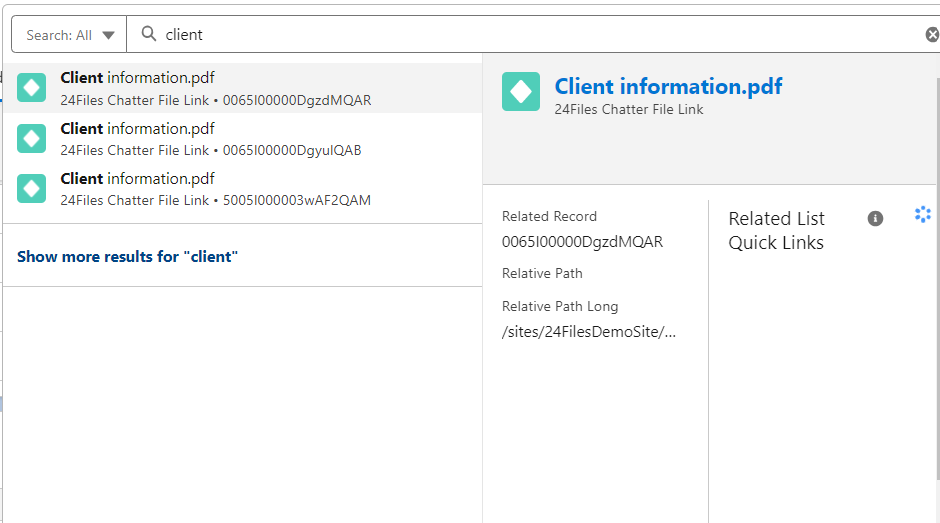
In case multiple files match the search criteria, these will all be displayed in the search results.
Salesforce allows you to customize the search layout of the object, see e.g. here.
To change the Search Layout, navigate to Setup > Object Manager and select 24Files Chatter File Link as an Object.
.png?cb=5bf45972043f86107bbdc28a4e914c07)
Edit the layout and choose the fields that you want to display.
.png?cb=3e952140429d0c47f916fdbc27a0ac46)