
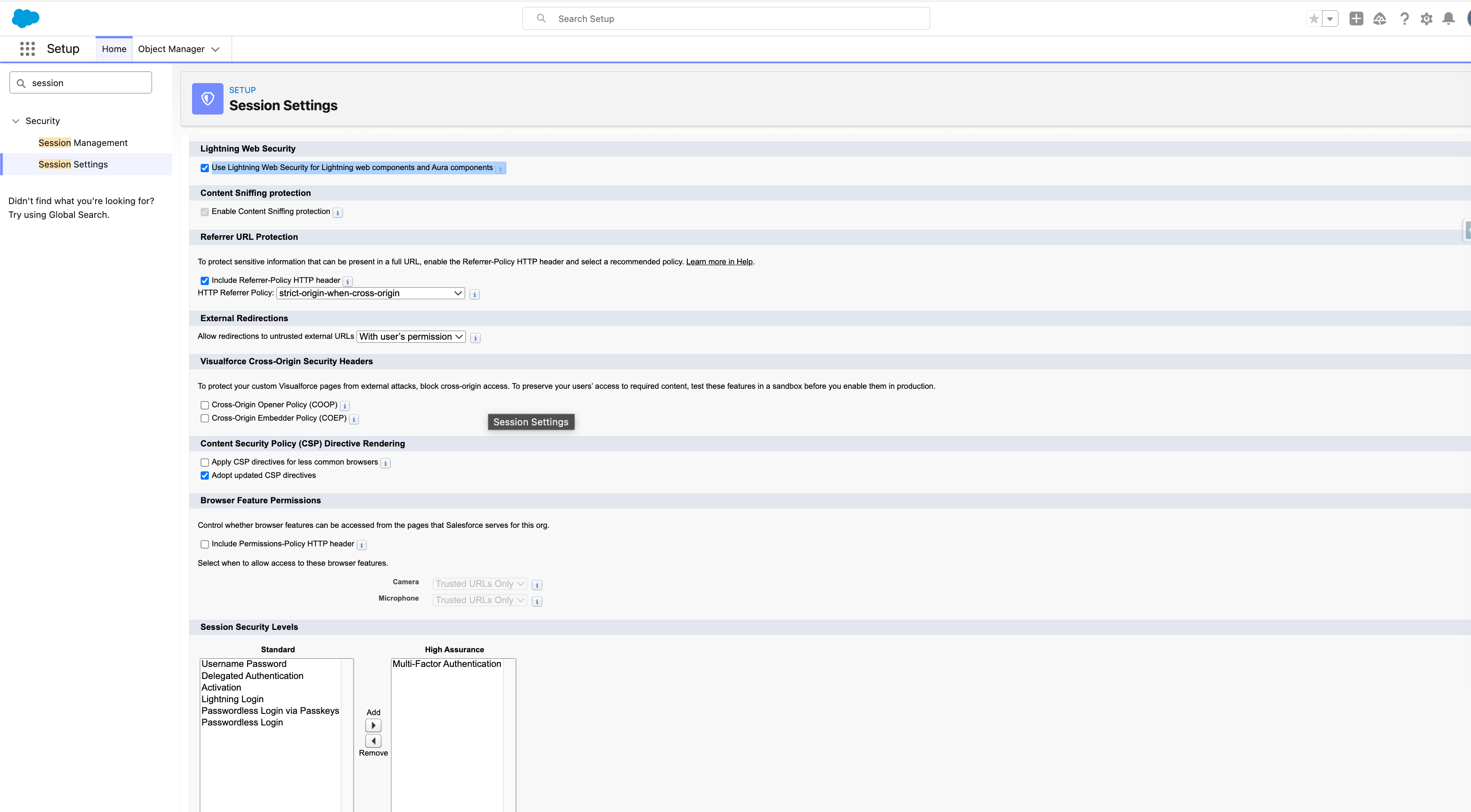
In order for 24Files to function correctly, you need to enable Lightning Web Security.
Navigate to Setup > Session Settings and enable Lightning Web Security as shown in the screenshot below.
More information on Lightning Web Security is available on this Salesforce documentation page.
If App Behaviour Is Erratic After Enabling Lightning Web Security
If users experience inconsistent behaviour (e.g. Upload button not responding) after enabling Lightning Web Security, it may be due to stale cached Lightning resources.
Quick Fix (per affected user)
-
Open browser Developer Tools (F12)
-
Go to Network tab
-
Enable Disable cache
-
Refresh the page once
-
Disable Disable cache
This forces the browser to load the latest Lightning components and resolves the issue in most cases.