
Example Flow to Migrate Existing Salesforce Documents to SharePoint via 24Files
Benefit:
An easy to understand example on how to use our global functions to perform a migration using 24Files.
Description:
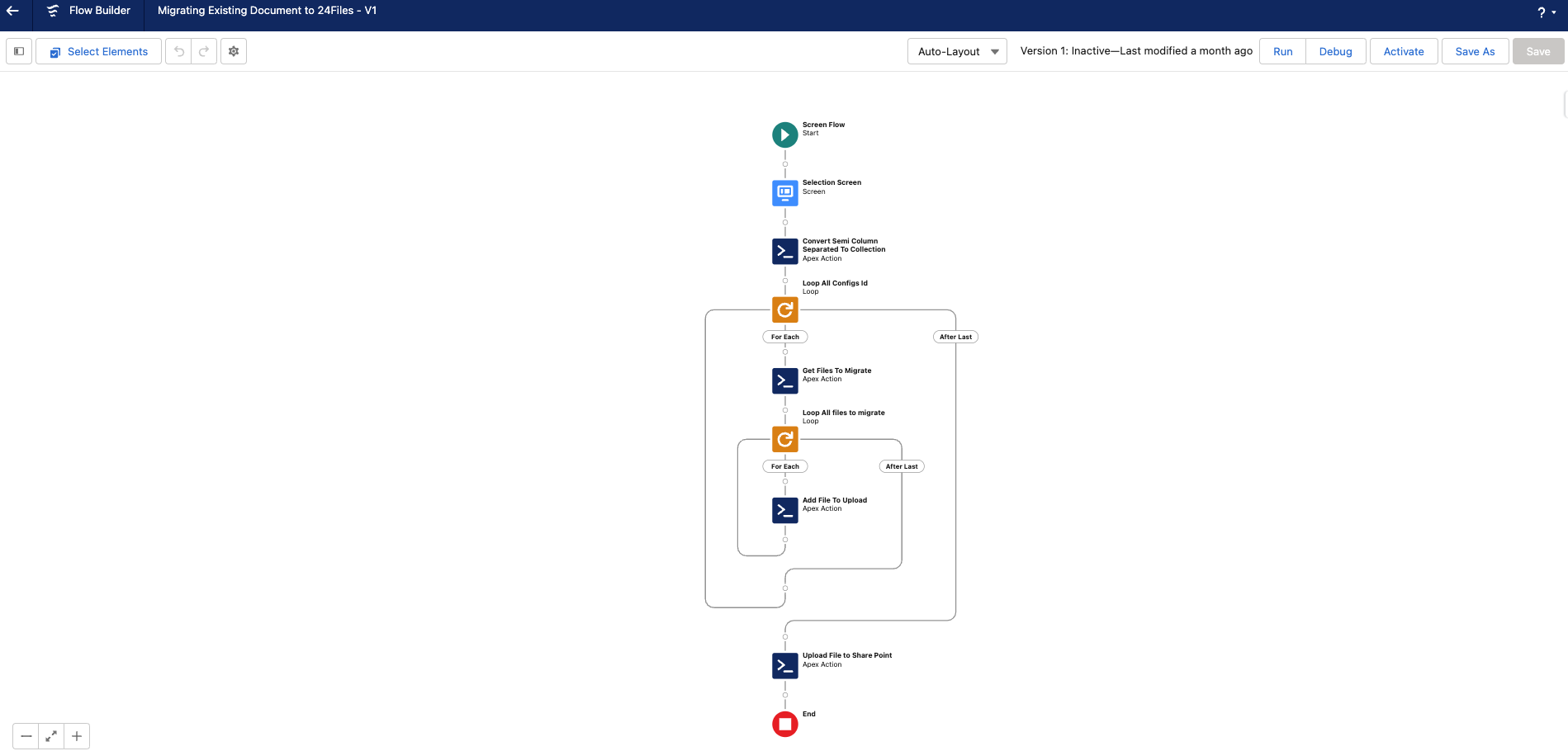
An example flow is added as an example on how you can use our global functions to perform a migration using 24Files. The flow will retrieve records from a type (e.g. contacts) and creates the default folder structure for those records. After this is done, the Salesforce documents are uploaded to SharePoint.
The different steps in the flow are:
-
Select object & ask email address
-
Retrieve files from object
-
Add files to List
-
-
Upload files → starts batch class
The flow is called “Migrating_Existing_Document_to_24Files”.
Preview Files
Benefit: No re-direct to SharePoint, on page display of the file.
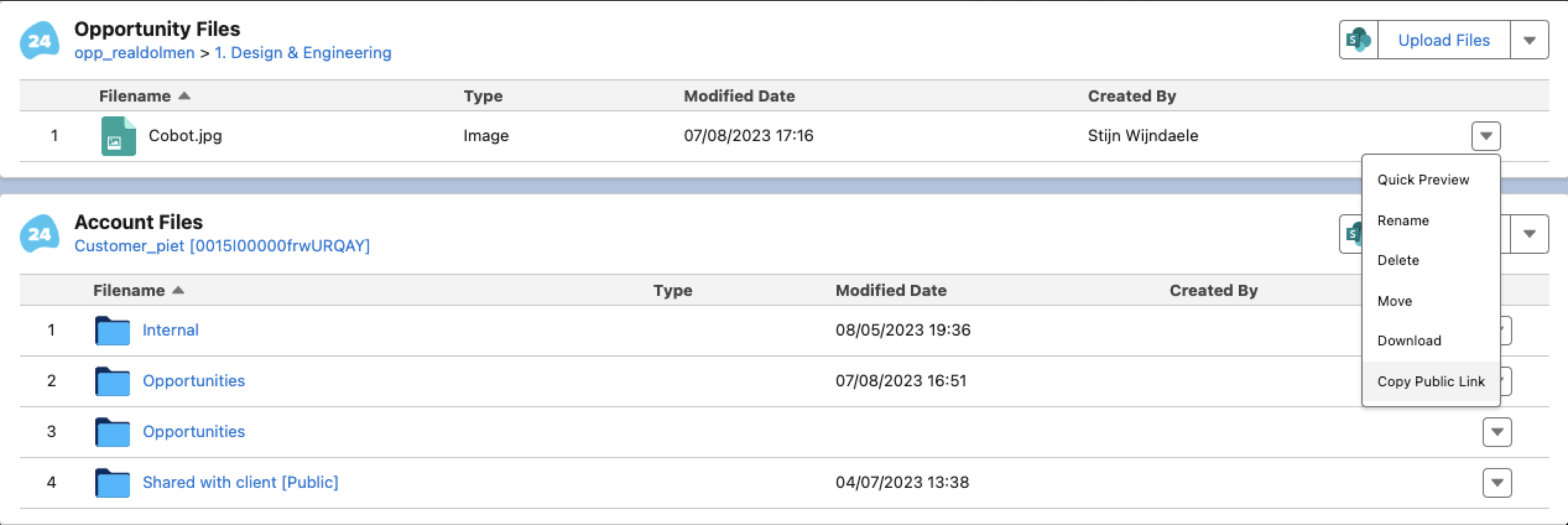
Description: By clicking on the “Quick Preview” button in the dropdown, the file will be previewed on page.

Generate a Public Shareable Link
Benefit: Quick on page generation of shareable public link to a file.
Description: By clicking on the “Copy Public Link” button in the dropdown, a public shareable link will be generated and copied to your clipboard. The link allows to download the file.
Drag & Drop Files instead of using the upload button
Benefit: Flexibility to drag and drop a file or select a file from a repository.
Description: Easily select a file from your desktop and drag it into the upload file section.

Clickable Files Titles
Benefit: Less clicks for the user.
Description: Open a file in sharePoint when clicking on the name in 24Files.
Layout Improvements
Benefit: Less clicks for the user.
Description: The "Open SharePoint" button is now visible next to the "Upload files" button iso in the dropdown.
Permission Set for Community Cloud Users
Benefit: Easily configure community users to use 24Files.
Description: Permission set for community cloud users has been added. The permission set is called “24Files Community User”.

Sub Releases
-
v4.200
-
v4.201
-
v4.203
-
v4.204
-
v4.205
-
v4.206
-
v4.207
-
v4.208
-
v4.209
-
v4.210
-
v4.211
-
v4.212